
Platform Features
Modes
App mode attaches to a user-installed app and provides full feature coverage.
Process mode attaches to a system process. App-dependent features (Info.plist, Entitlements, WebViews, etc.) are unavailable; generic features like checksec, file browser, and memory scanner remain functional.
Due to sandbox and memory constraints on mobile systems, some system processes may not support attachment and will exit abnormally if targeted.
iOS
Security Mitigations
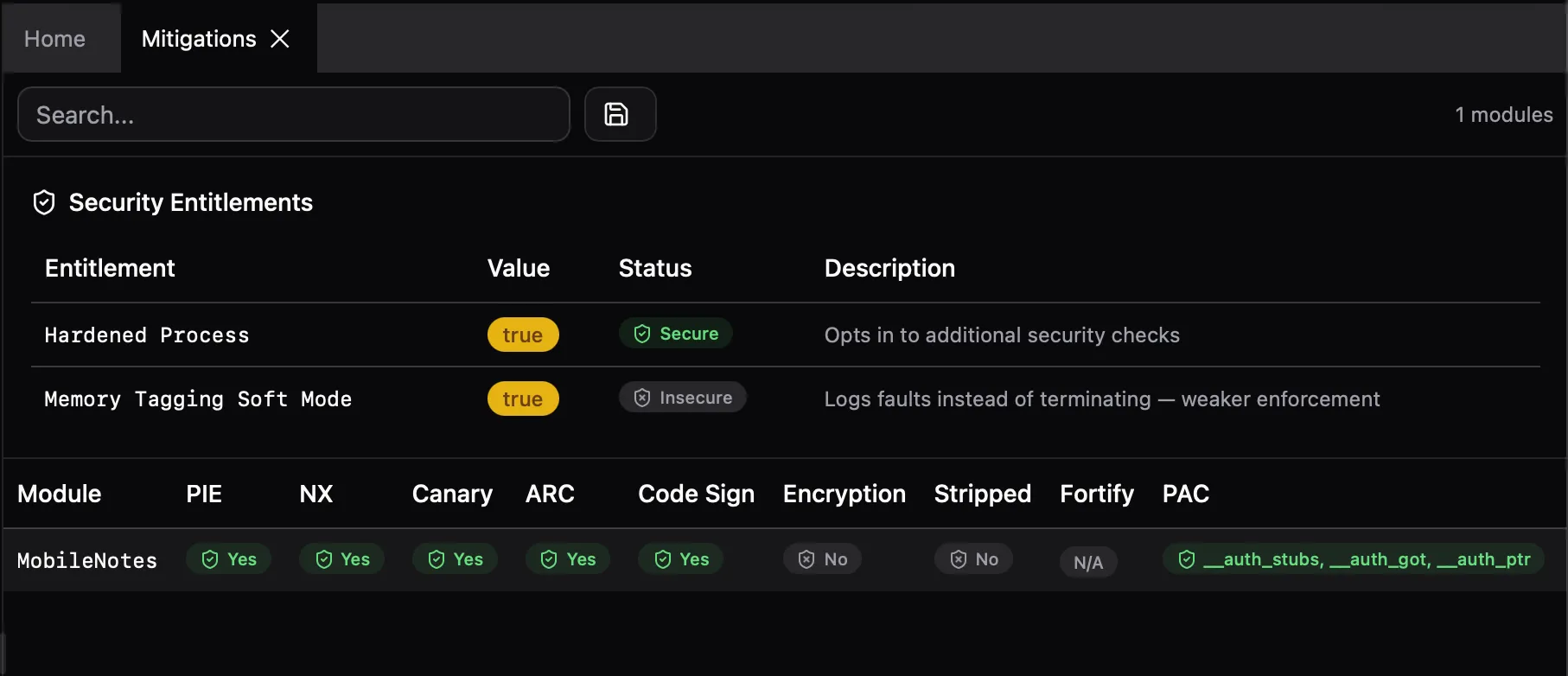
Analyze binary security flags for all user-installed modules:
- PIE (Position Independent Executable)
- NX (No-Execute bit)
- Stack Canary (stack smashing protection)
- ARC (Automatic Reference Counting)
- RPATH (runtime search paths)
- Code Signature (code signing load command)
- Encryption (App Store binary encryption)
- Stripped (debug symbols removed)
- Fortify (Fortify Source function count)
- PAC (Pointer Authentication Code, arm64)
- Secure Malloc (secure allocator usage)
Info.plist & Insights
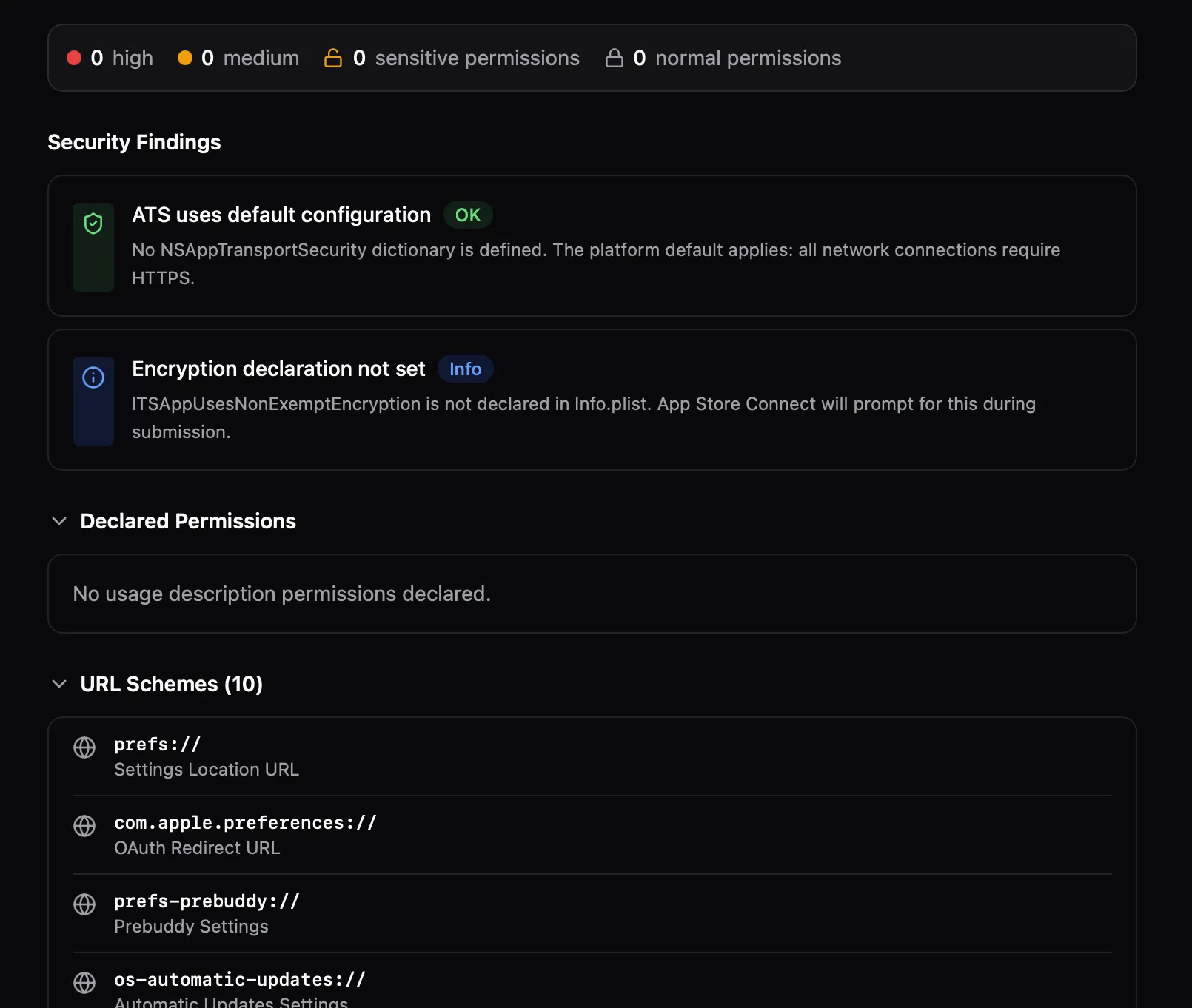
View the app's Info.plist with full key-value data. The Insights panel runs automated security analysis on ATS settings, permissions, URL schemes, and other configuration.
Entitlements
Extract and display the app's entitlements. Key security-relevant items are highlighted — keychain access groups, app groups, associated domains, and background modes.
Assets.car
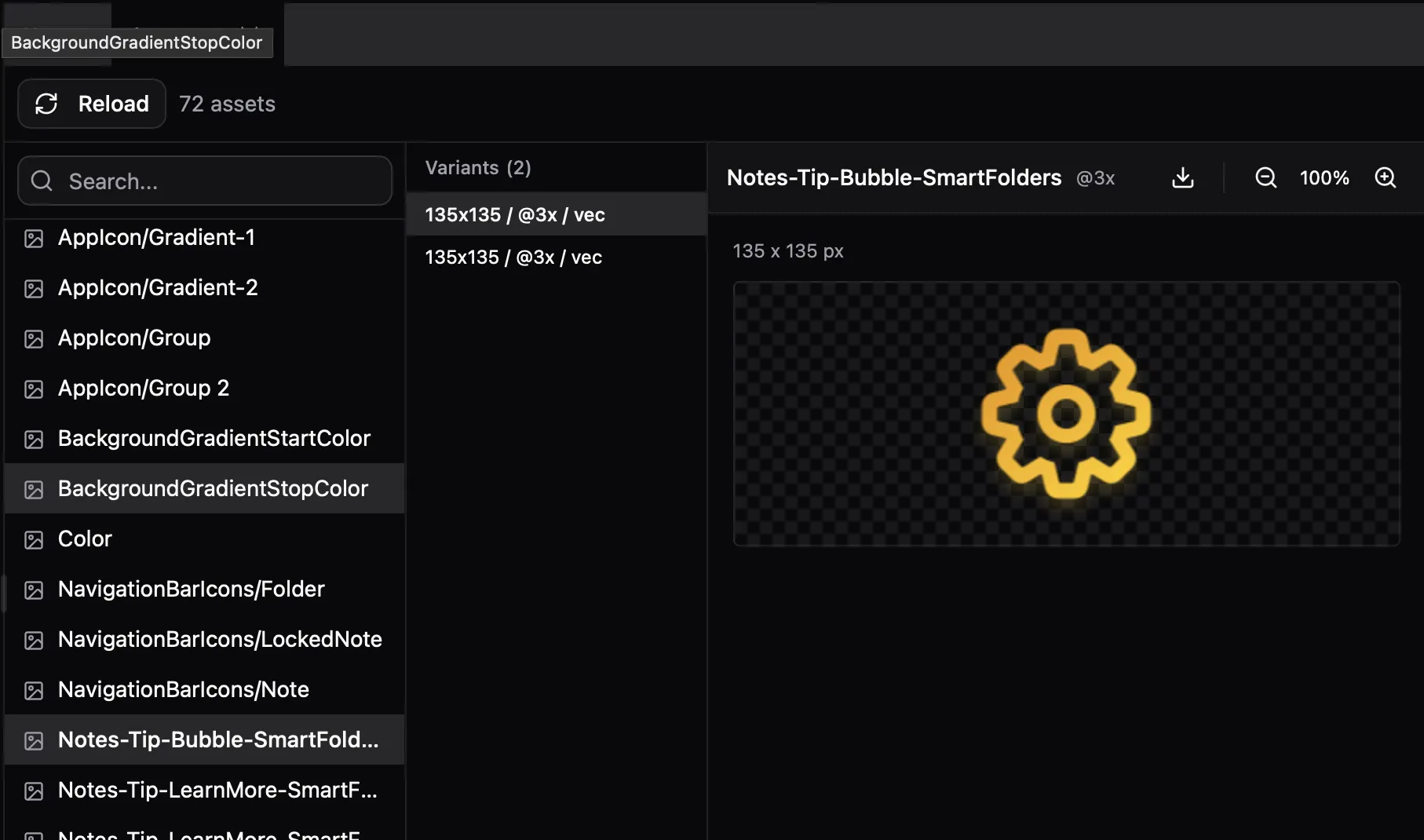
Browse the compiled asset catalog. List all images, view variants with scale/resolution info, and extract images as PNG or raw data.
WebViews
iOS (WKWebView / UIWebView):
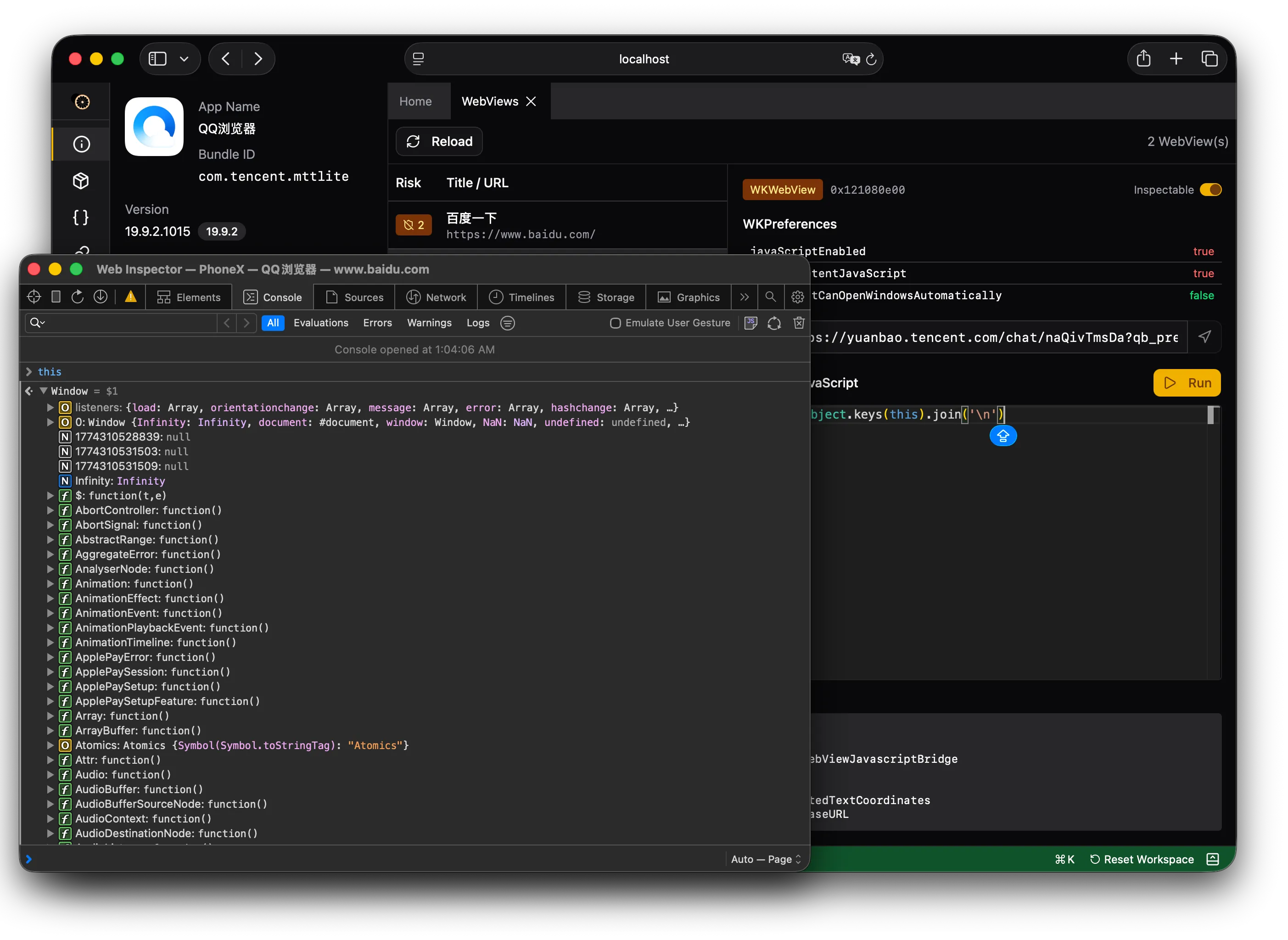
- List all active WKWebView instances with URL, title, and configuration (JavaScript enabled, content JavaScript, auto-open windows, file URL access, universal access, content blocker, inspectable)
- UIWebView support for legacy apps
- Evaluate arbitrary JavaScript in the WebView context
- Navigate to a URL
- Enable/disable WebKit Remote Inspector per WebView (iOS 16.4+)
Android (WebView):
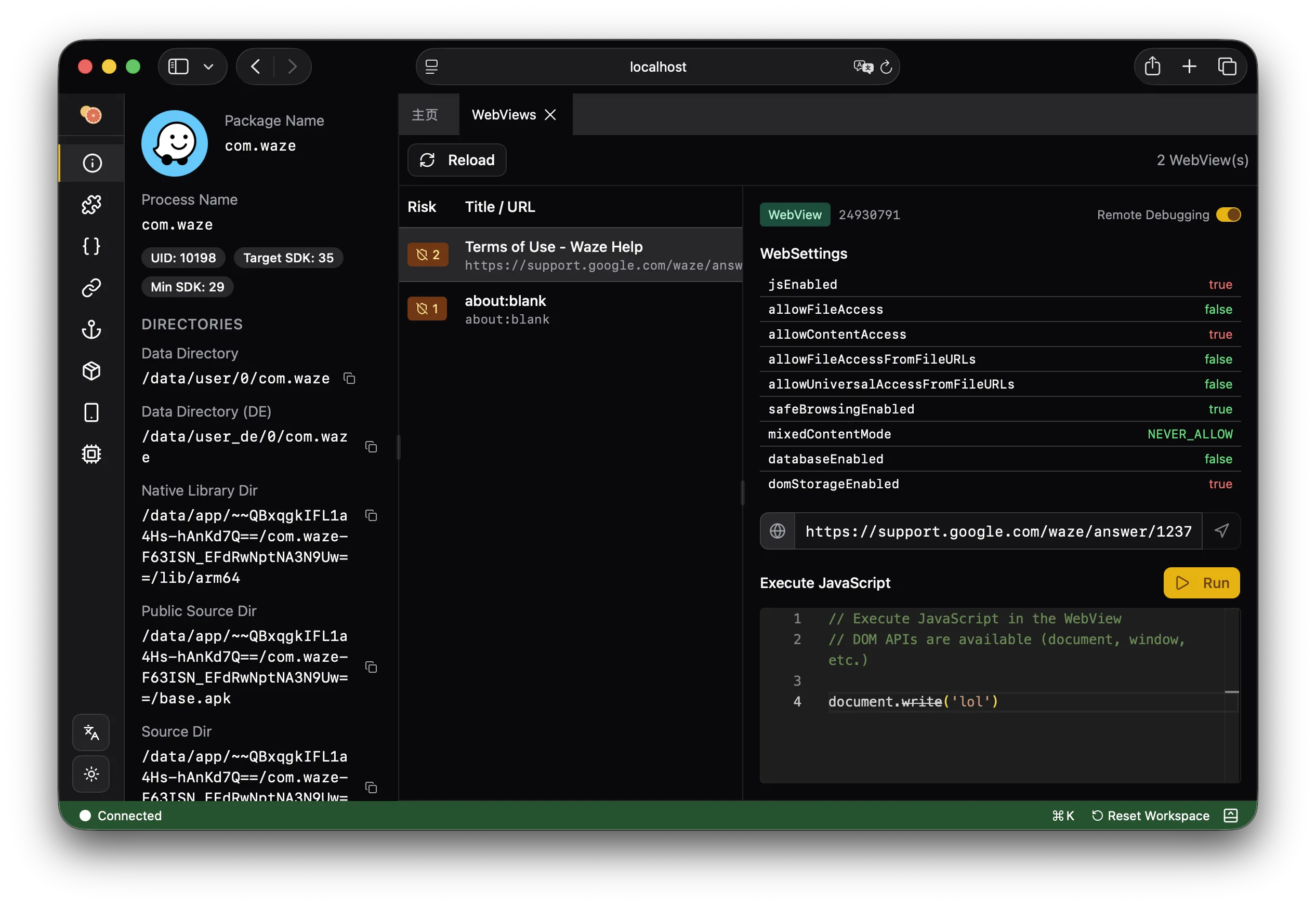
- List all active WebView instances with URL, title, and settings (JavaScript, file access, content access, file:// URL access, universal access, safe browsing, mixed content mode, database, DOM storage)
- Show injected JavaScript interfaces exposed to Web content
- Enable WebContents debugging
- Evaluate arbitrary JavaScript in the WebView context
- Navigate to a URL
JSContext
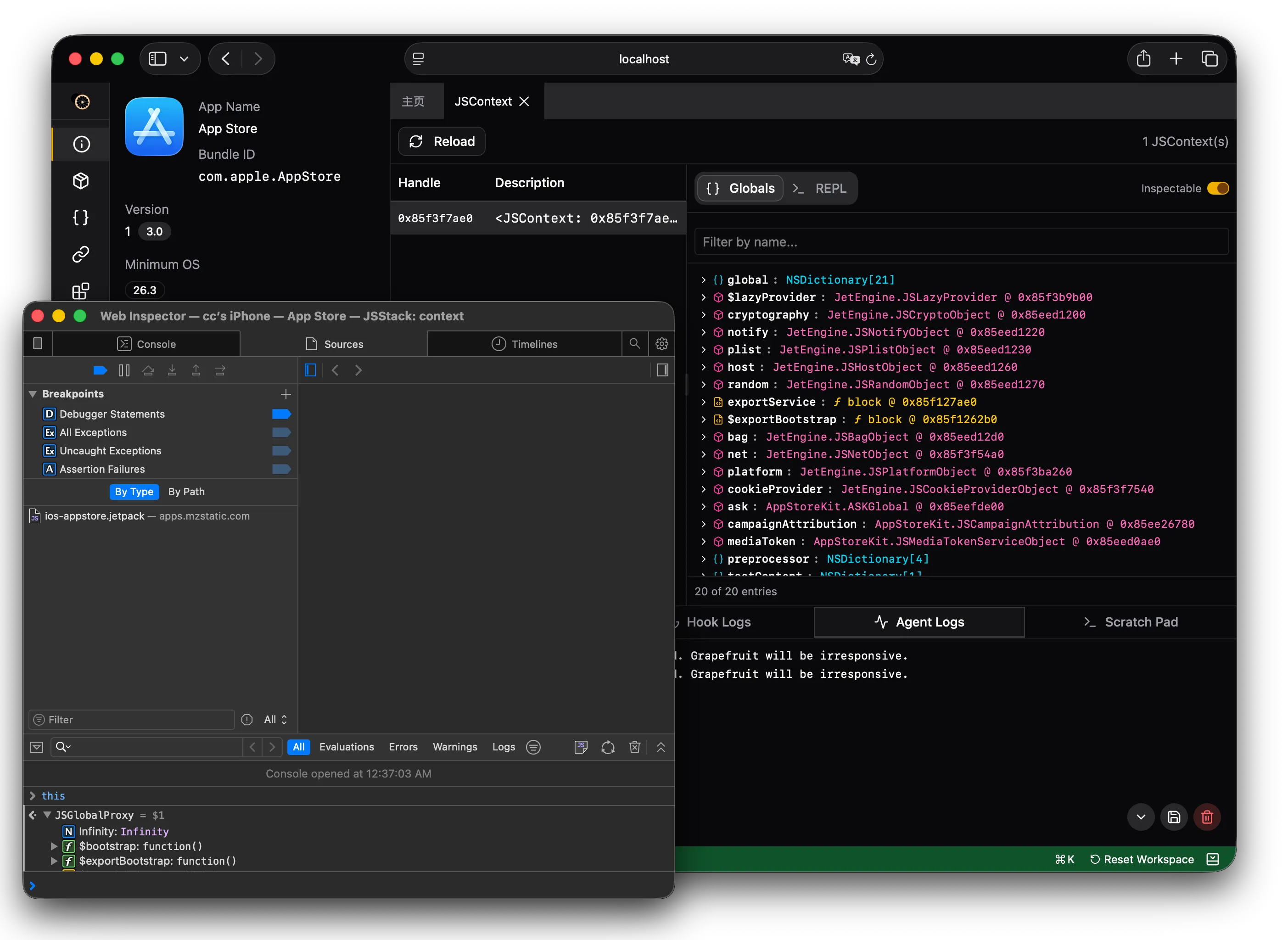
Explore JavaScriptCore contexts. List all JSContext instances with their handles and inspectability status. Dump global scope variables, evaluate arbitrary JavaScript expressions, and enable/disable inspection (iOS 16.4+).
XPC
Monitor XPC (inter-process communication) traffic between the app and system services. View message content, direction (sent/received), connection details, and call stacks for outgoing messages.
Geolocation Simulation
Override the device's GPS location for the target app. Set arbitrary coordinates to test location-dependent behavior.
App Extensions
List all app extensions (widgets, share extensions, notification content, etc.) bundled with the app.
Android
APK Browser
Browse the contents of the app's APK file. Extract individual entries (DEX files, native libraries, resources, assets) for analysis.
AndroidManifest.xml
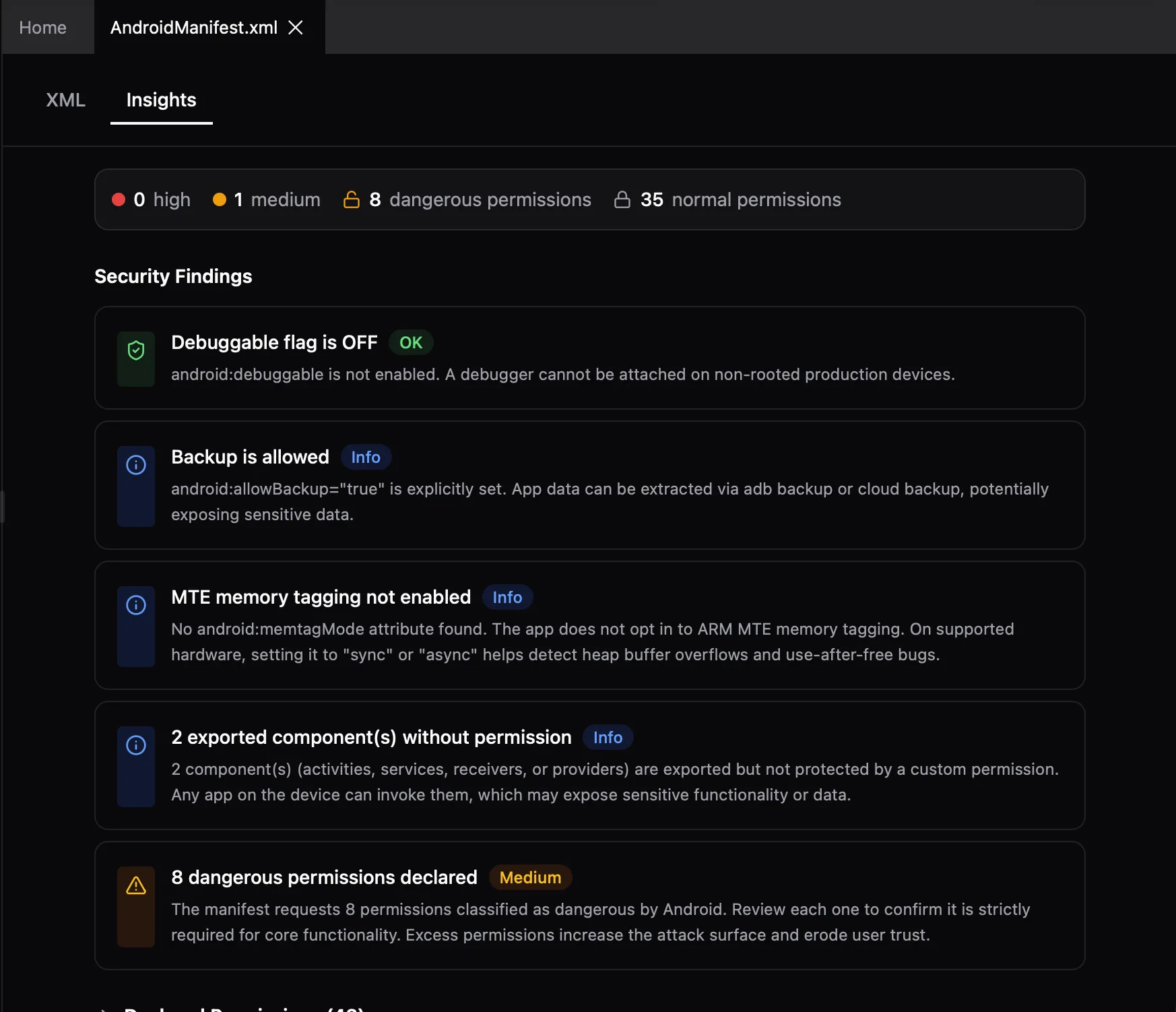
View the decompiled AndroidManifest with syntax highlighting. Inspect components, permissions, intent filters, and other declarations.
Components
List all Android components (Activities, Services, Broadcast Receivers, Content Providers) declared by the app with their intent filters and export status. Launch activities, start/stop services, and send broadcast intents.
Content Providers
Query content providers exposed by the app. Browse data tables, run queries, and test for SQL injection in provider URIs.
JNI Trace
Trace JNI (Java Native Interface) function calls between Java and native code. Captures method signatures, arguments, and return values.
Resources
Browse Android app resources (strings, layouts, drawables, etc.) from the APK. List all resources grouped by category, and retrieve specific resource values by name.
Cross-Platform
Flutter Channels
Intercept Flutter platform channel messages between Dart and native code. Supports method channels, event channels, and basic message channels. Available via the hook system.
React Native
Inspect the React Native bridge. Detect architecture (legacy bridgeless vs bridgeless mode), list running RN instances, and inject arbitrary JavaScript into the RN context for dynamic analysis.
IL2CPP (Unity)
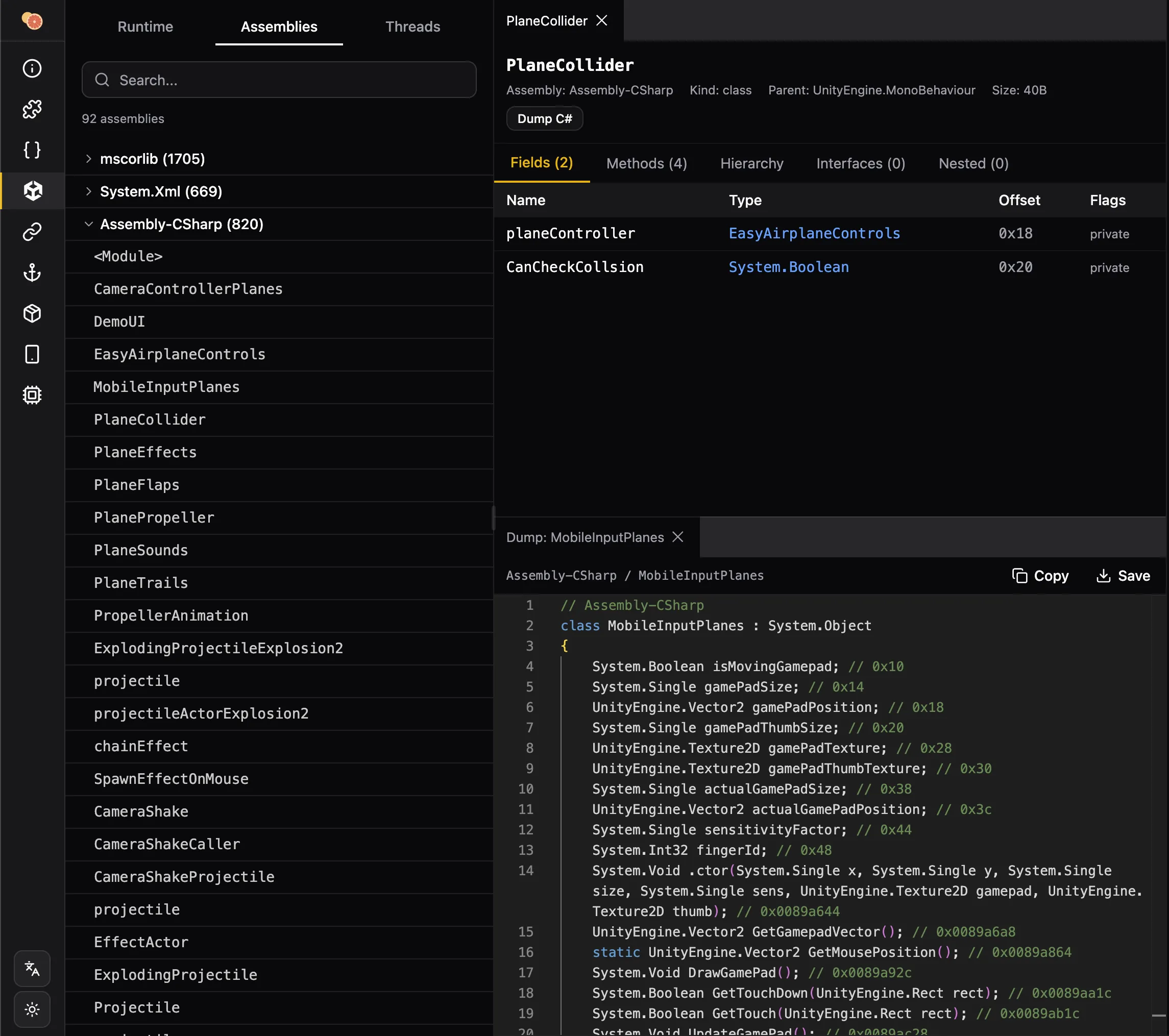
Analyze Unity apps that use IL2CPP ahead-of-time compilation. Browse .NET metadata, assemblies, classes, and methods from the IL2CPP runtime. Dump classes as C# source code, inspect GC statistics, and manage garbage collection.