
File Browser & Previews
File Browser
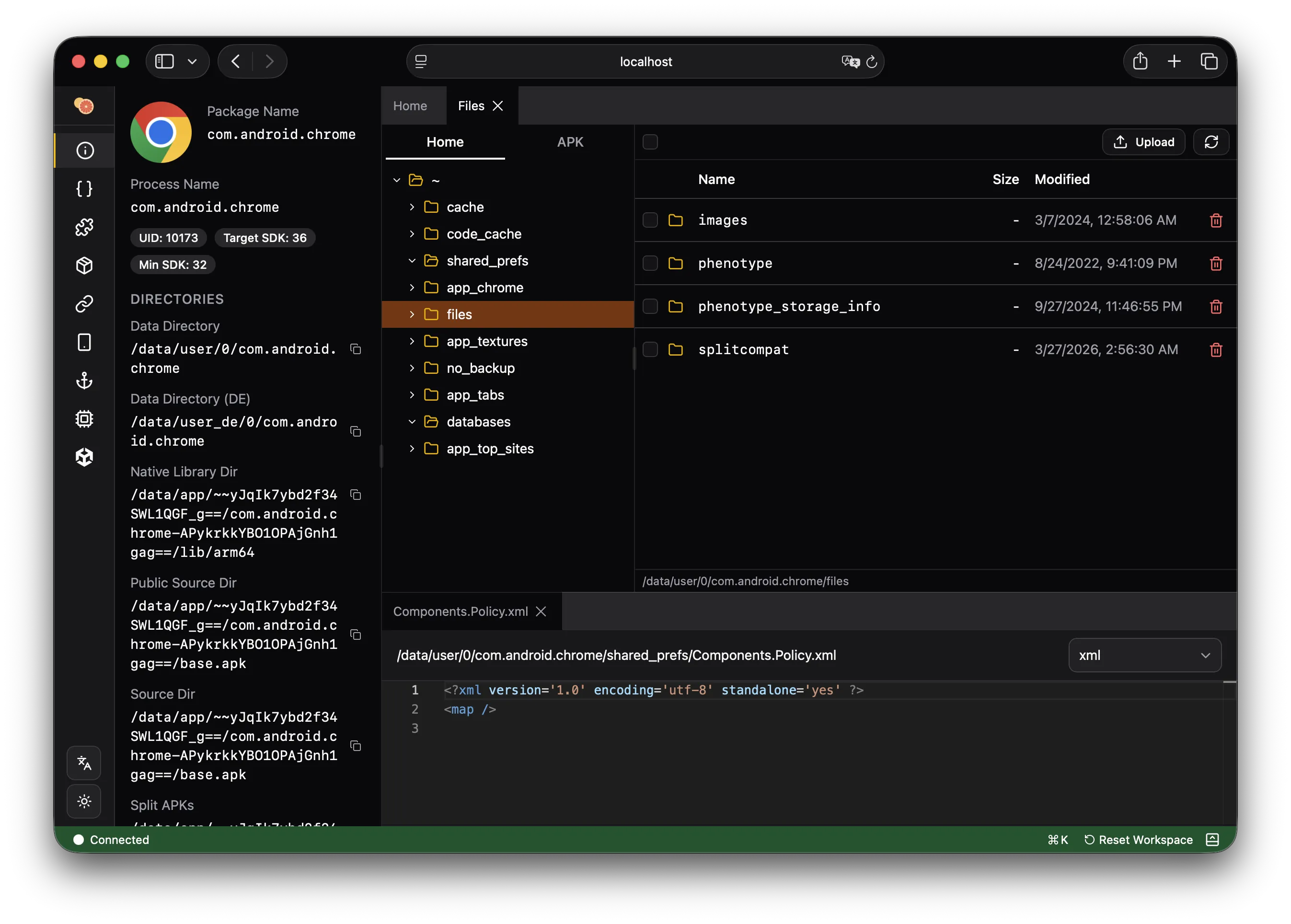
The file browser provides a tree view of the target app's filesystem. On iOS, it defaults to the app's home directory. On Android, it starts at the root filesystem.
- Navigate directories with breadcrumb trail
- Download files to your machine
- Upload files to the device
- Delete files (when not in read-only mode)
- Click any file to open it with a format-appropriate viewer
Supported Preview Formats
Hex View
Any file can be opened as a hex dump with an address column, hex bytes, and ASCII sidebar. Supports seeking to arbitrary offsets.
Text Editor
Plain text files open in a Monaco editor with syntax highlighting. Supports viewing configuration files, scripts, and log files.
SQLite Editor
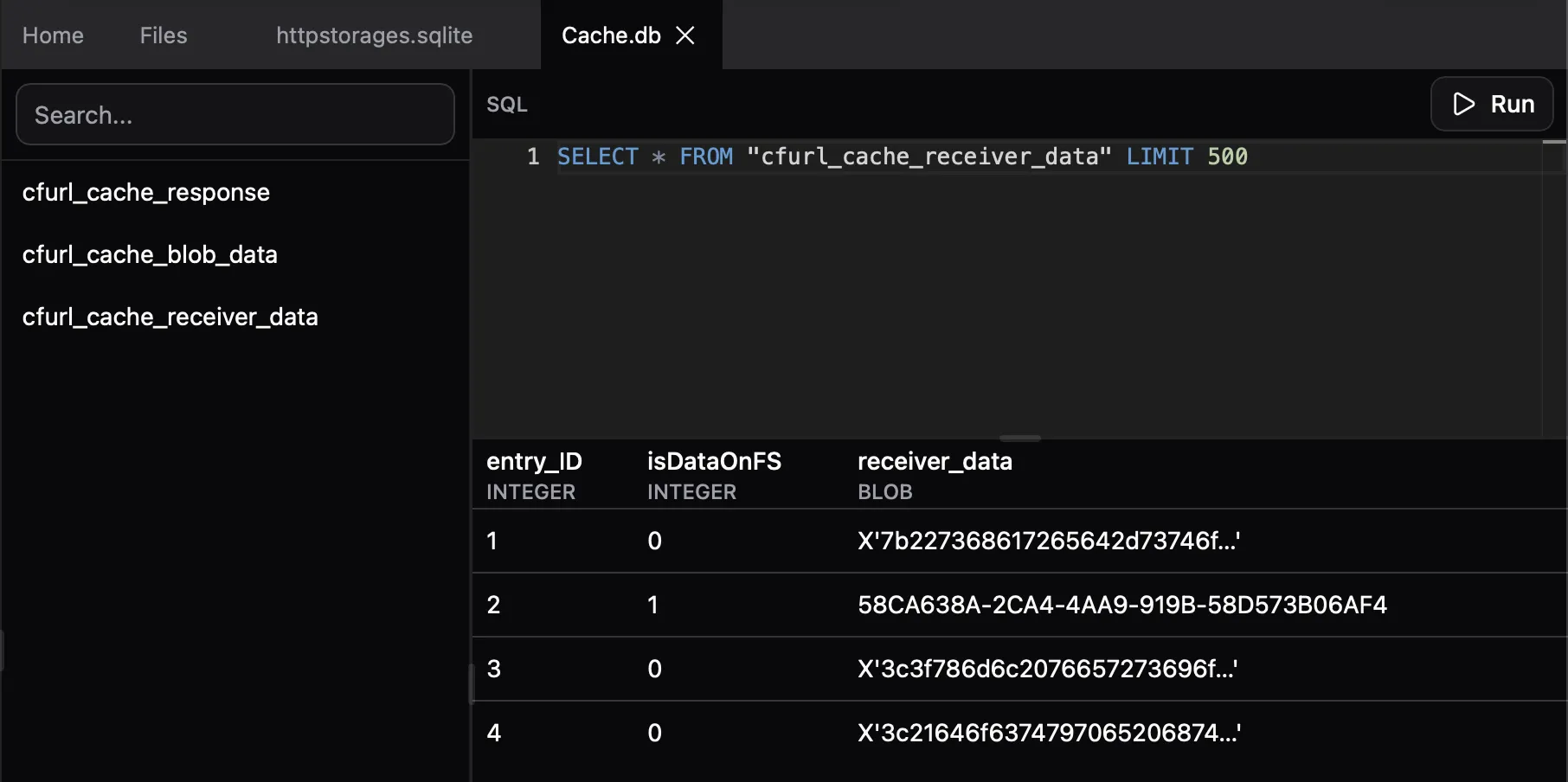
Opens .db and .sqlite files with a table browser. Select a table to view its contents in a data grid. Run custom SQL queries against the database.
Property List (plist)
Renders Apple property list files (binary and XML) in a formatted tree view. Supports nested dictionaries, arrays, and all plist value types.
Image Preview
Displays PNG, JPEG, GIF, WebP, and other common image formats inline in the browser.
Audio Preview
Plays audio files (MP3, AAC, WAV, etc.) with a browser-native audio player.
Font Preview
Preview TrueType (.ttf) and OpenType (.otf) fonts with adjustable sample text and glyph size.
Assets.car (iOS)
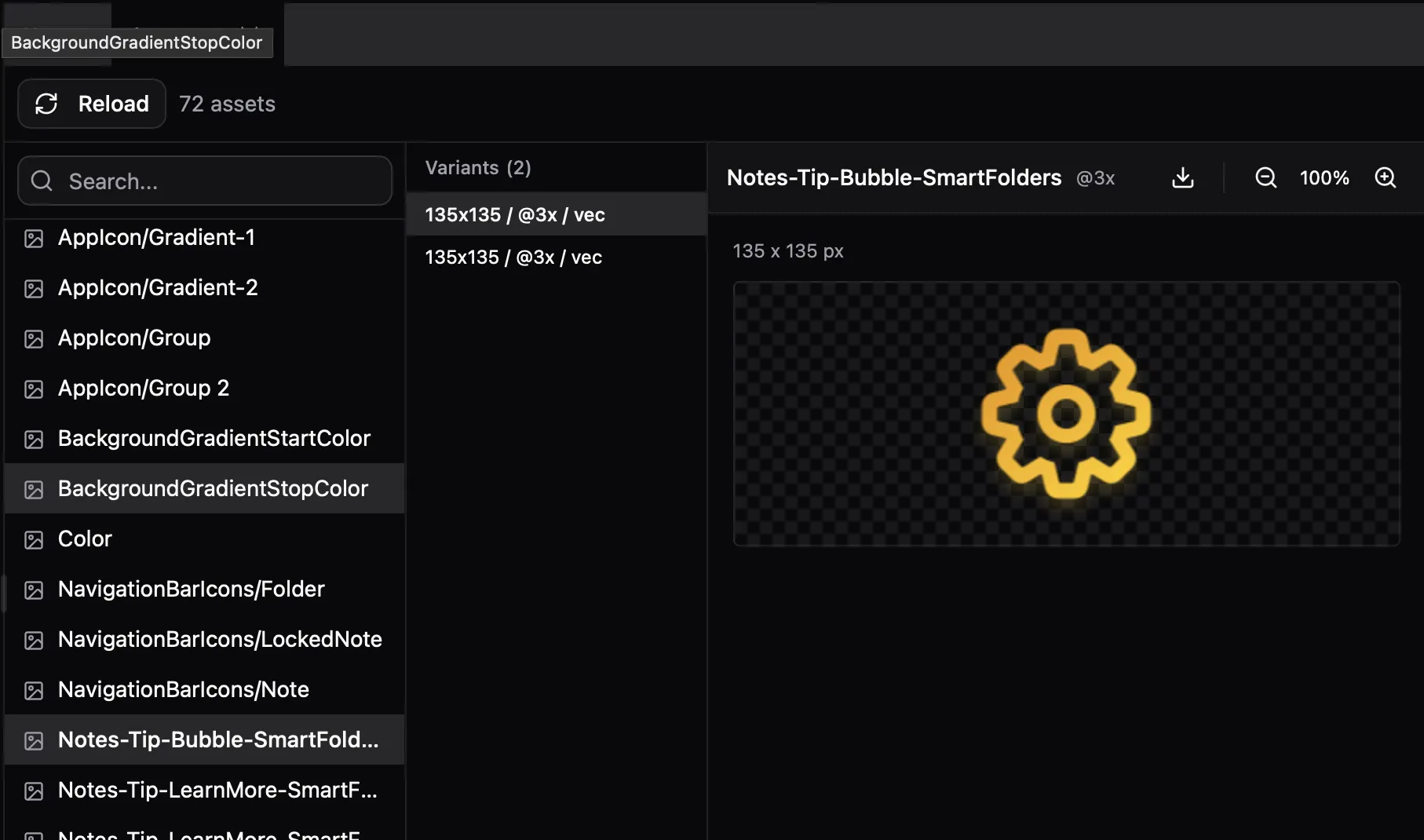
Browse compiled asset catalogs as a grid of images, icons, and other assets.
DEX Viewer
Opens classes.dex files with the full DEX analysis view — class browser, method disassembly, string search, cross-references, and AI decompilation. See Analysis & Decompilation for details.
APK Browser (Android)
Browse the contents of the app's APK file as a zip archive. Extract individual entries (DEX files, native libraries, resources, assets) for further analysis. Click a DEX file to open it directly in the DEX viewer.