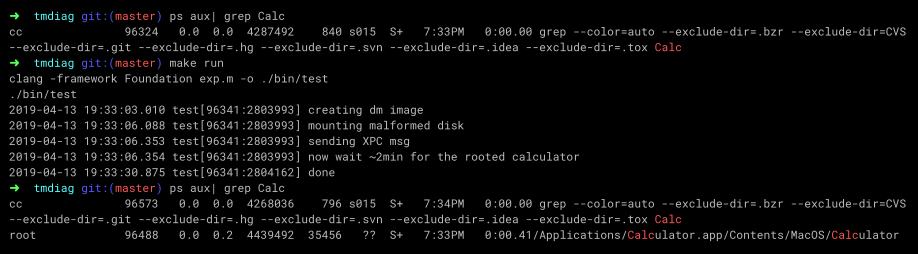
macOS Mojave 10.14.4 has patched two LPE flaws I reported. They are both userspace XPC logic bugs, simple and reliable to get root privilege escalation, just like the Rootpipe. This writeup is for the command injection in TimeMachine diagnose extension, which affects 10.12.x-10.14.3.
https://support.apple.com/en-us/HT209600
Since this exploit is easy to understand and 100% reliable, please upgrade to 10.14.4 ASAP.
This talk revealed some very interesting LPE bugs found in diagnostic tool of the system: $hell on Earth: From Browser to System Compromise — Black Hat
So I started looking at these services:
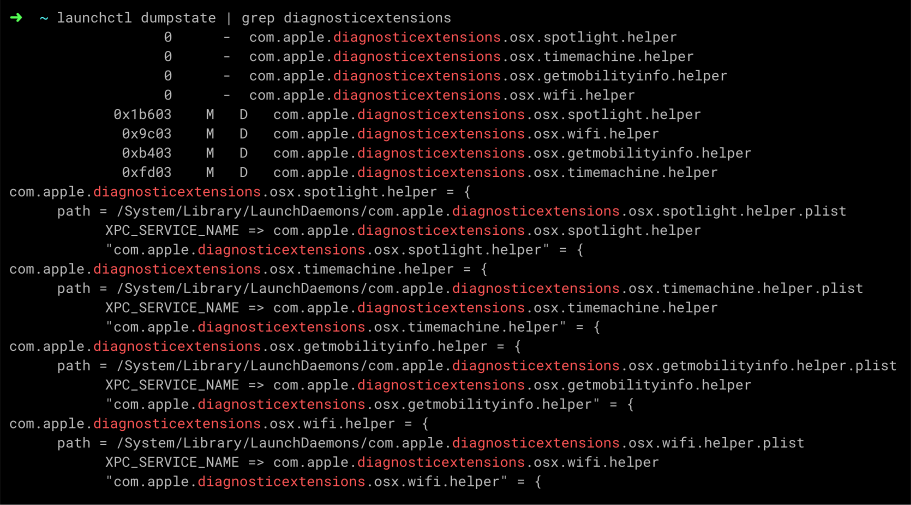
Functionalities of these helpers are similar. Let's take a closer look at timemachine.helper. The interface is extremely simple:
It simply takes an NSURL as a destination directory to run the command /usr/bin/tmdiagnose -r -w -f on it, then copies the file that matches a regular expression to the destination parameter.
While it doesn't perform any check on the destination, you can put random garbage (the diagnostic logs) to any existing directory without rootless protection. The other helpers have the similar problem. Apple patched this flaw as CVE-2019-8530:
XPC
Available for: iPhone 5s and later, iPad Air and later and iPod touch 6th generation
Impact: A malicious application may be able to overwrite arbitrary files
Description: This issue was addressed with improved checks
CVE-2019-8530: CodeColorist of Ant-Financial Light-Year Labs
It used to be exploitable combined with a sudo design flaw.
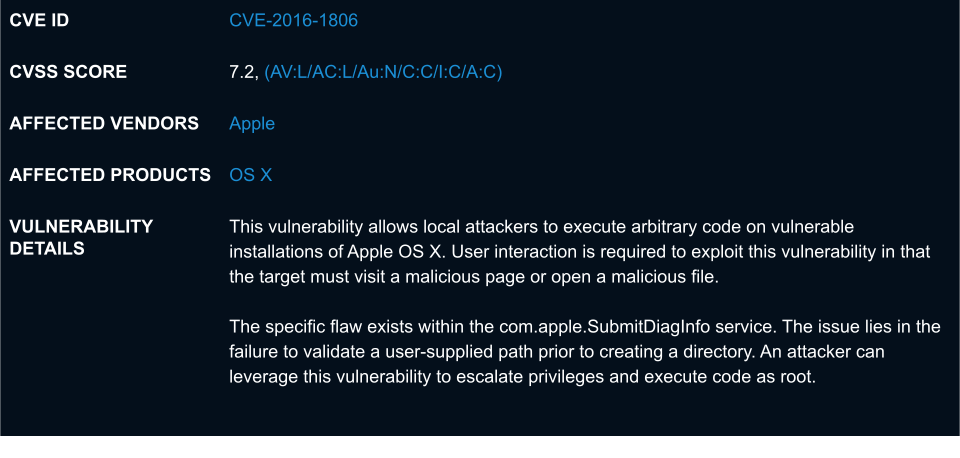
(Pwn2Own) Apple OS X SubmitDiagInfo Arbitrary Directory Creation Privilege Escalation Vulnerability
Sudo supports a feature where the user does not need to enter the password again for a few minutes after typing the password (and being successfully authenticated). The check was based on the modified time of the /var/db/sudo/{USER_NAME} directory. By setting the SubmitToLocalFolder value to be /var/db/sudo/{USER_NAME} and triggering the vulnerability, it is possible to execute sudo to gain root privileges.This bug can modify the timestamp of the directory by writing into it. Since sudo has been patched long ago, it's now pointless.
But what I want is a root shell!
The flaw resides in the tmdiagnose binary, which is not too hard to reverse. Its implementation is just some external shell commands wrapped in NSTask calls and the terminal output is honest:
There are two exploitable bugs.
The executable /usr/local/bin/ddt does not exist on a fresh installed mac. The location is not protected by rootless, and the popular package manager brew explicitly set this directory to world writable. So on a macOS with brew installed (don't you?), a normal user process can overwrite this file and send a XPC message to execute it as root.
Alright, this scenario is not the default configuration. What about a privileged command injection?
The tmdiagnose calls external commands via NSTask api, which is usually considered secure because it does not support shell operators unless you intentionally spawn a shell.
But look at this line, it lists every mounted volumes and find lines that match the pattern /disk/, then use the result to compose a new shell command!
Is the shell command really controllable?
The only controllable column is the NAME. We can create a disk image (*.dmg) and customize its label by using -volname parameter of hdiutil. Mounting such an image does not require root privilege.
But the problem is, the $NF variable points to the last column, the IDENTIFIER (e.gdisk1s1), which is impossible to customize.
Just don't give up now. I used to play web challenges in CTFs years ago so I remember there's a trick call CRLF injection. So let's add a line break to the volume name: hello\nworld. Now hello is the last column.
Volume label also supports special chars like \n`$, so we can inject the payload here. But whitespaces will be treated as splitter and break the payload. Besides, the label is limited to be shorter than 23 chars (including the NULL terminator), otherwise it'll be truncated:
So the label must:
- have the keyword disk
- have a line break
- use ` or $() to inject shell command
- be shorter than 22 chars
- have no more whitespace except the line break
Since we have bash support now, wildcard comes to the rescue. The working dir is /. Use A*/1 or t*/1 to execute /Applications/1 or /tmp/1, making the payload as short as possible.
The final payload is diskt*/1 to execute /tmp/1.
Time Machine
Available for: macOS Sierra 10.12.6, macOS High Sierra 10.13.6, macOS Mojave 10.14.3
Impact: A local user may be able to execute arbitrary shell commands
Description: This issue was addressed with improved checks.
CVE-2019-8513: CodeColorist of Ant-Financial LightYear Labs
This bug can be exploited in the following steps:
- Copy or make a symbolic link of the executable to make payload shorter
- Mount a crafted disk image with shell command payload as its label
- Send XPC request to timemachinehelper and wait
It takes about 2 min to trigger the root command because you have to wait for some time costing commands to finish. Anyways, it's freaking reliable.